DKIM Key Rotation: Best Practices for 2026
DKIM keys should be rotated periodically to limit exposure if a key is compromised. Here's how to rotate DKIM keys without breaking email delivery.

Most organisations configure DKIM once and never touch it again. That's understandable — it works, nothing breaks, and the maintenance requirement isn't obvious. But RFC 6376, the DKIM specification, explicitly recommends periodic key rotation as a security measure.
The reasoning is straightforward: if a DKIM private key is compromised — through a server breach, an exposed configuration file, or a cloud credentials leak — an attacker can forge valid DKIM signatures indefinitely. Rotating keys limits the damage window.
How DKIM Keys and Selectors Work
Understanding the selector mechanism is the foundation for rotating keys without breaking email.
A DKIM key pair consists of a private key (held by the mail server or sending platform) and a public key (published in DNS as a TXT record). The DNS record lives at:
[selector]._domainkey.yourdomain.com
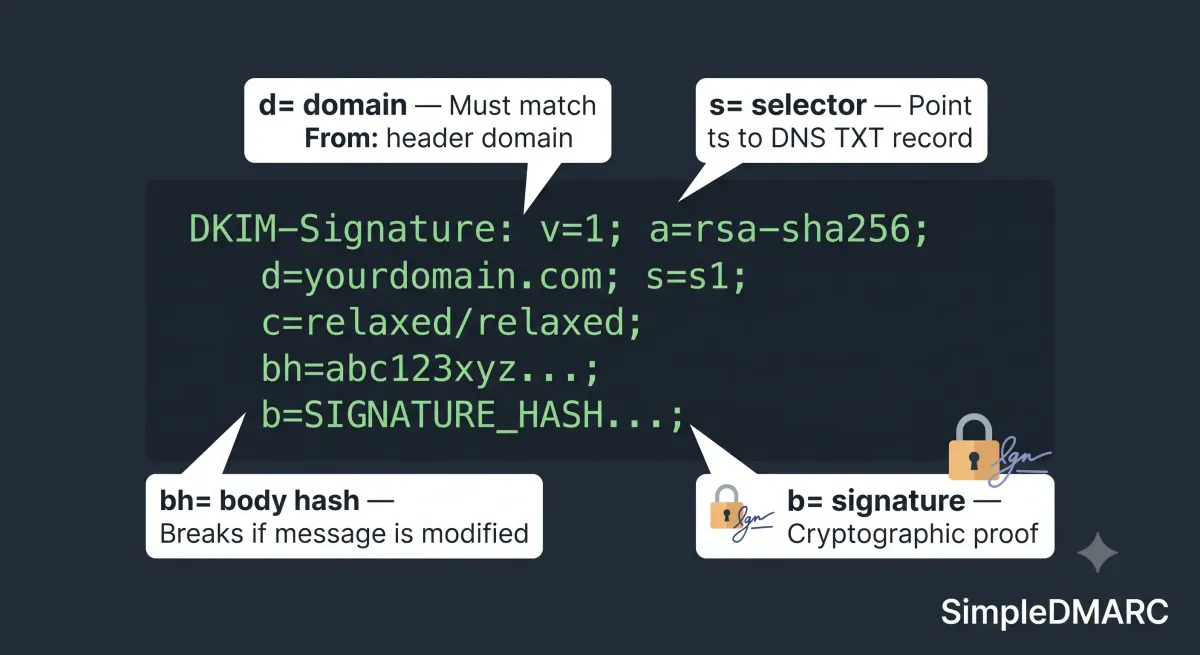
The selector is an arbitrary label — s1, google, mailchimp, k1 are all common patterns. The sending server stamps each outgoing email with a DKIM-Signature header that includes the selector:
DKIM-Signature: v=1; a=rsa-sha256; d=yourdomain.com; s=s1; ...
The receiving server reads the s= value, looks up s1._domainkey.yourdomain.com, retrieves the public key, and verifies the signature.
The selector mechanism is what makes safe key rotation possible. You can have multiple selectors active simultaneously — old and new keys coexist in DNS until you're confident the transition is complete.
Why Rotation Matters in Practice
Private key exposure is more common than most organisations assume:
- Configuration management repos (GitHub, GitLab) that accidentally include private key files
- Server snapshots or backups that capture the private key
- Compromised mail server credentials giving an attacker access to the key material
- Third-party email platform breaches
If a key is compromised and you haven't rotated, every email you've sent using that key can theoretically be forged. Rotating limits exposure to the period since the last rotation.
For high-security environments, the recommendation is quarterly or even monthly rotation. For most SMBs, annual rotation strikes a practical balance between security and operational overhead.
The Safe Rotation Process
The critical rule: never delete an old DKIM DNS record before confirming the new one is active and propagated. The overlap period is what prevents delivery failures during rotation.
Step 1: Generate a new key pair
Generate a new RSA key pair. Use 2048-bit minimum — 1024-bit keys are now considered weak and are rejected by some providers. Most sending platforms (Google Workspace, Microsoft 365, Mailgun, SendGrid) handle key generation internally in their DKIM configuration interface.
If you're managing DKIM at the mail server level:
# Generate a 2048-bit RSA private key
openssl genrsa -out dkim-new-private.key 2048

# Extract the public key for DNS
openssl rsa -in dkim-new-private.key -pubout -out dkim-new-public.key
Step 2: Choose a new selector name
Use a naming convention that makes the rotation date obvious:
selector: 20260701   (date-based, easy to audit)
selector: s2         (sequential, simpler but harder to audit)
selector: july2026   (descriptive)
Date-based selectors are most useful — you can look at your DNS records and immediately see when each key was created.
Step 3: Publish the new public key in DNS
Add the new DKIM record alongside the existing one. Both can coexist:
; Existing key — keep this active during transition
s1._domainkey.example.com.  IN  TXT  "v=DKIM1; k=rsa; p=MIGfMA0GCSqGSIb3DQEBA..."

; New key — add before switching
20260701._domainkey.example.com.  IN  TXT  "v=DKIM1; k=rsa; p=MIIBIjANBgkqhki..."
Wait 24-48 hours for DNS propagation before proceeding.
Step 4: Verify the new record
Check the new selector resolves correctly with the DKIM checker before switching your mail server to use it:
# Verify DNS resolution
dig TXT 20260701._domainkey.yourdomain.com
Confirm the public key in the DNS response matches the key you generated.
Step 5: Switch the sending configuration to the new key
Update your mail server or sending platform to use the new private key and new selector for signing outgoing mail. The method varies by platform:
- Google Workspace: Generate a new key in Admin Console → Apps → Gmail → Authenticate email, add the DNS record, then activate the new key
- Microsoft 365: Via PowerShell or the Defender portal — create a new DKIM key pair and update the selector CNAME records
- Mailgun/SendGrid: In the domain authentication settings, generate a new DKIM key and publish the provided TXT record
- Self-managed Postfix: Update the
dkim_key_tableto reference the new private key file and new selector
After switching, send a test message and verify the DKIM-Signature header references the new selector.
Step 6: Monitor DMARC reports
Watch your DMARC aggregate reports for 48-72 hours after switching. If DKIM failures appear from sources that were previously passing, it indicates the new key isn't signing correctly or the DNS record hasn't propagated universally.
SimpleDMARC's free monitoring surfaces DKIM pass/fail rates per sender, making it easy to spot if the rotation caused any authentication failures.
Step 7: Retire the old key
Once you've confirmed the new key is signing correctly and DMARC reports show stable DKIM pass rates, remove the old DNS record. Keep it for a minimum of 30 days after switching — some receiving servers cache DKIM records, and messages sent before the switch may still be in transit queues.
![DNS management interface showing two DKIM selector records during transition period before old key is removed]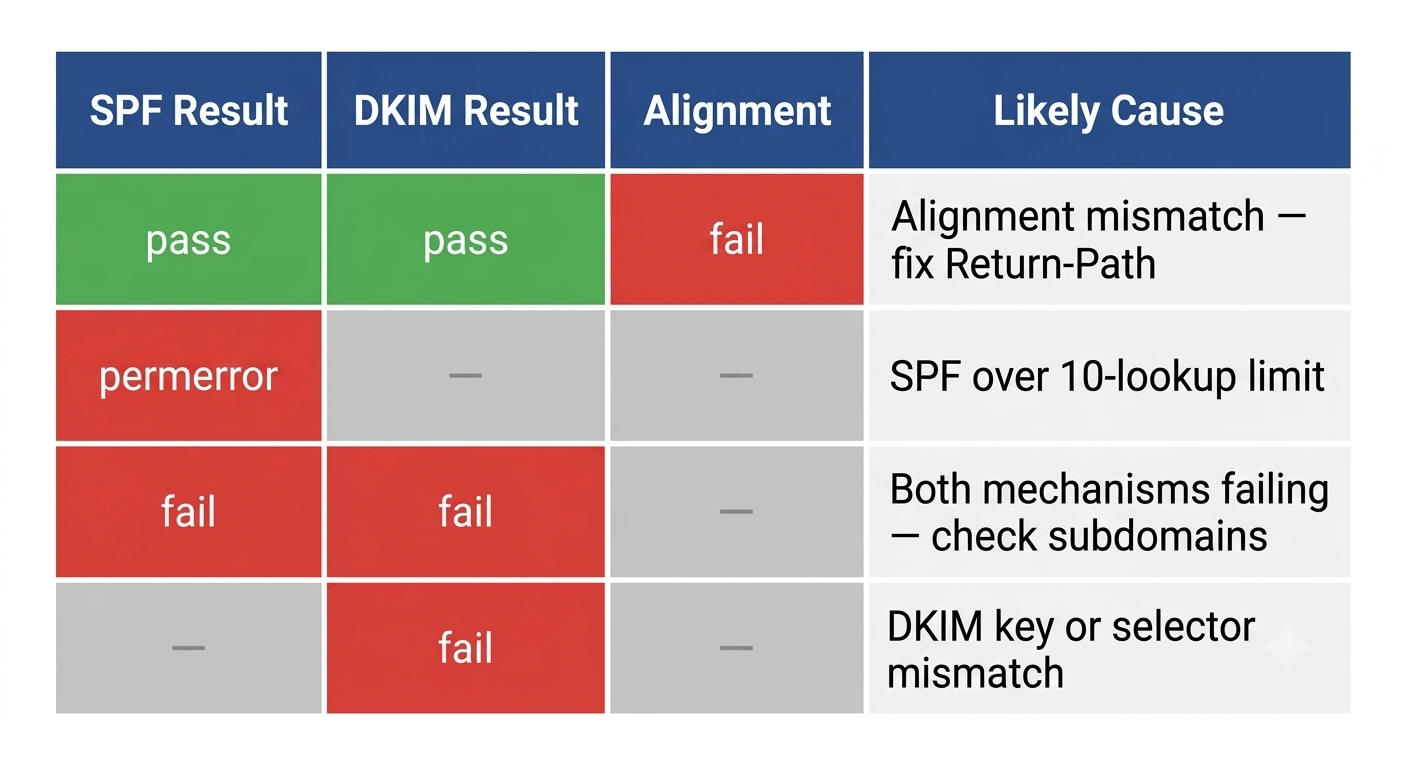
Platform-Specific Notes
Google Workspace: Google manages DKIM key generation internally. You can't export the private key. Rotation is done through the Admin Console by generating a new key, adding the DNS record, and then rotating the active key. Google's process handles the overlap period automatically.
Microsoft 365: DKIM in Microsoft 365 uses CNAME records pointing to Microsoft's infrastructure rather than direct TXT records with the key material. Rotation is managed through the Defender portal or PowerShell. The two CNAME selectors (selector1 and selector2) allow rotation without downtime.
Self-managed mail servers (Postfix, Exim, etc.): You manage the private key directly. The rotation process above applies in full. Store private keys with strict file permissions (chmod 600) and outside web-accessible directories.
Key Length: 2048-Bit Minimum
1024-bit RSA keys are no longer considered secure for DKIM. Some receiving servers reject signatures from 1024-bit keys. If your current DKIM record uses a 1024-bit key, rotation is especially urgent.
Check your current key length by examining the public key record in DNS. A 1024-bit RSA key produces a public key of approximately 216 characters in the TXT record. A 2048-bit key produces approximately 392 characters.
If you're unsure, the DKIM checker reports the key size alongside the verification result.
Pairing DKIM Rotation With SPF Review
DKIM rotation is a good trigger for auditing your SPF record at the same time. Both are authentication maintenance tasks that tend to drift over time. The SPF record management guide covers lookup count auditing and how to handle SPF records that have grown past the 10-lookup limit.
Running both audits together at a regular interval — annually or quarterly depending on your security posture — keeps your full email authentication stack current.
FAQ
How often should DKIM keys be rotated?
The DMARC and email security community generally recommends annual rotation as a minimum for most organisations. High-security environments — financial services, healthcare, government — often rotate quarterly. Monthly rotation is used in very high-risk scenarios. The key question is how damaging it would be if a private key were compromised: higher risk justifies more frequent rotation.
Does DKIM key rotation affect email deliverability?
If done correctly with an overlap period, no. The overlap — publishing the new DNS record before switching the mail server to the new key — ensures all receiving servers can verify signatures during propagation. Deliverability problems during rotation almost always trace to switching the mail server before DNS propagation was complete.
What happens if I delete the old DKIM record too soon?
Messages signed with the old key that are still in transit or in a sending queue will fail DKIM verification after the old record is removed. Those failures may affect DMARC pass rates temporarily. Keep the old record for at least 30 days after switching to the new key.
Can I have multiple active DKIM selectors at once?
Yes. DKIM is designed to support multiple active selectors. You can have s1, s2, and s3 all active simultaneously, each with different keys. This is standard practice during rotation and is also used when different sending platforms each use their own selector.
My third-party email platform manages DKIM — do I still need to worry about rotation?
It depends on the platform. Some platforms (Google Workspace, Microsoft 365) handle key rotation internally. Others (Mailchimp, Mailgun, SendGrid) let you generate keys through their interface but don't automatically rotate them — you need to initiate rotation manually. Check your platform's documentation to understand whether automatic rotation is in place.
Verify your current DKIM configuration with the free DKIM checker at simpledmarc.com/tools/dkim-checker — it shows the key length, selector status, and whether the signature verifies correctly.