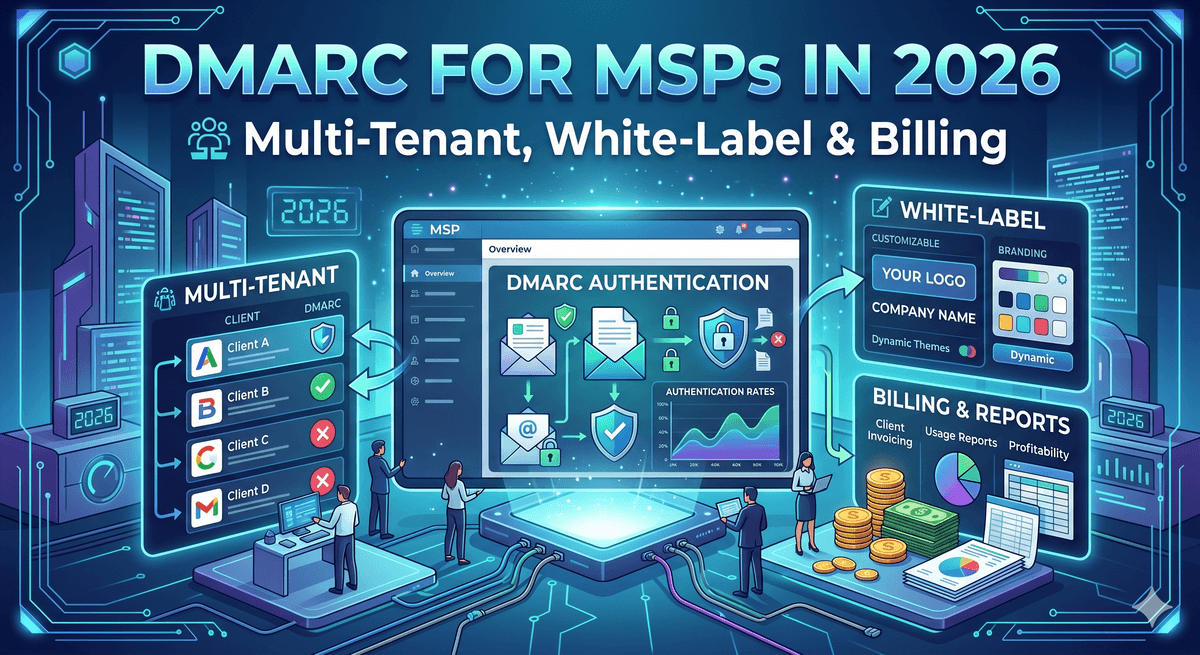
DMARC for MSPs in 2026: Multi-Tenant, White-Label & Billing
DMARC is becoming a standard line item in MSP security stacks, mostly because clients are getting bounced mail from Gmail and Outlook and asking why. The actual challenge for MSPs isn't the DMARC protocol itself — that part is well-documented.

The hard parts are how you charge for it, which platform doesn't gouge you on inactive domains, and whether the "white-label" feature actually puts your brand in front of the client or just slaps a logo on a page nobody visits. This guide covers all three.
Why DMARC became an MSP service line in 2026
DMARC went from optional to mandatory in stages. Gmail and Yahoo started enforcing it on February 1, 2024 for bulk senders. Microsoft followed on May 5, 2025 with the same 5,000-emails-per-day threshold for consumer Outlook addresses. In November 2025, Gmail tightened the screws further, replacing temporary deferrals with permanent rejections.
For MSPs, this created predictable client conversations. "Why is my mail bouncing?" "Why did our quote go to the customer's spam folder?" "What's this 550 error?" If you support SMB clients, you're getting these tickets whether you sell DMARC as a service or not. The only question is whether you bill for fixing it or absorb the labor.
There's also the secondary driver that doesn't get talked about as much. Cyber insurance underwriters have started asking about DMARC during renewal. Some carriers in 2026 are denying claims for business email compromise where the victim domain didn't have a p=quarantine or stronger DMARC policy in place. So even clients who don't care about deliverability suddenly care about insurance compliance.
The market data backs this up. According to industry trackers, fewer than one in five domains globally have a published DMARC record at any policy level. The opportunity isn't proving DMARC matters — that's done. The opportunity is being the MSP who actually handles it for the 80%+ who haven't.
What a multi-tenant DMARC platform actually needs to do
"Multi-tenant" gets thrown around a lot. For an MSP, what it really means is six specific things working together:
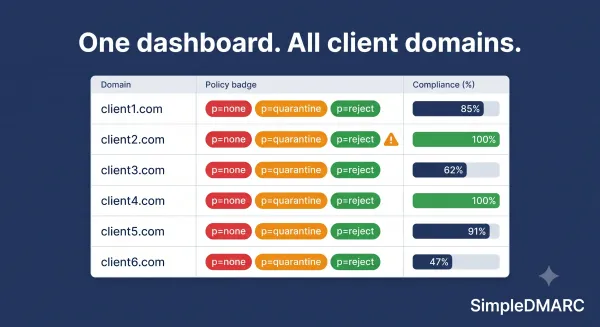
A single login that shows every client's DMARC posture without re-authenticating. If you have to log into each client's instance separately, that's not multi-tenant, that's a hosted service with extra steps.
Per-client data isolation. Client A's reports must not show up in Client B's dashboard. This sounds obvious. Some smaller platforms genuinely get it wrong on the API layer even when the UI looks fine.
Role-based access so you can give a junior tech read-only access to one client's data, or give a client a read-only view of their own dashboard without seeing your other accounts.
Bulk operations. Adding 20 new domains for a new client onboarding should not be a 20-time-repeated form. Either a CSV import or an API.
Client-level alerting. When Client A's mail starts failing alignment, the alert should route to the tech responsible for Client A, not blast the whole NOC.
API access for everything you'll automate later: provisioning new clients from your PSA, pulling weekly status into your QBR deck, syncing domain lists from your DNS provider.
If a platform doesn't do all six, you'll grow out of it inside a year. Most MSPs underestimate this and end up migrating between platforms when they hit 50-100 client domains, which is painful because you lose your reporting history.
The hidden cost: how vendors bill for parked and inactive domains
Here's where MSP margins quietly bleed. Most clients have more domains than they use for mail. A typical 50-person business might own:
acme.com         - primary mail domain (active)
acme.net         - parked, redirects to .com
acme-corp.com    - acquired, parked
getacme.com      - old marketing campaign, parked
acmemail.com     - typosquat defense, no DNS at all
acme.io          - typosquat defense, no DNS at all
That's one active mail domain and five passive ones. Every DMARC vendor has an opinion on how to bill for those five. Three approaches you'll see in 2026:
Charge per domain regardless of activity. This is the Red Sift, PowerDMARC, and dmarcian model in their standard tiers. Whether the domain sends mail or not, it counts toward your domain quota. For a 50-client portfolio where each client has six domains and five are parked, you're paying for 300 domains when only 50 are doing anything. At industry pricing of roughly $8 per domain per month, that's $1,920 a month for parked domains, $480 a month for the actual mail domains.
Charge per active sending domain only. Domains with no SPF record, no DKIM, and no mail flow count as passive and don't bill. This is the model SimpleDMARC uses and one of the reasons MSPs end up on it for high-domain-count portfolios. The 300-domain example above bills as 50 active.
Charge by email volume, not domain count. EasyDMARC's pay-as-you-go partner model leans this way. Better for some MSPs (those serving very low-volume clients), worse for others (single high-volume clients can blow up the bill).
Why does this matter? Because attackers spoof parked domains too. Best practice for an MSP is to put p=reject on every domain a client owns, including the parked ones — strict DMARC on an inactive domain is essentially free spoofing protection. But if your platform charges full price for parked domains, you'll skip protecting them to keep client bills reasonable, which leaves clients exposed. The vendor's billing model is making the security decision for you, which is the wrong way around.
Run any client's primary domain through a free DMARC checker before quoting, and ask them how many other domains they own. The answer is almost always "more than I remembered."
What white-label really means (and what it usually doesn't)
Every MSP-focused DMARC platform sells "white-label." The actual feature varies enormously.
The strong version: your logo and brand colors appear in the client-facing dashboard, reports are sent from your domain (not the vendor's), all client-visible emails reference your company, and the dashboard lives at a subdomain you control like dmarc.yourmsp.com. The client sees no evidence the underlying platform isn't yours.
The weak version: your logo replaces the vendor's logo in the top corner of the dashboard. PDFs you download have your branding. The URL is still vendor.com/portal/login, reports come from noreply@vendor.com, and any link the client clicks lands on the vendor's site.
Most MSPs assume they're buying the strong version and discover they have the weak version after the first client onboarding. Three things to verify before signing:
Custom domain for the portal — and whether it requires a CNAME you control or a full DNS delegation.
Custom sender address for outbound emails (alerts, reports, password resets).
Whether the vendor's name appears anywhere in the client UI, including footers, "powered by" tags, error messages, or password reset emails.
The other thing nobody mentions: white-label upgrade pricing. The base plan usually doesn't include it, and the white-label tier can be 2-3x the cost. A platform advertised at $8/domain might be $24/domain once white-label is added.
How to bill clients for DMARC
The pricing model you charge clients should be different from the model you pay your vendor. Most successful MSP DMARC practices in 2026 use one of three approaches:
Flat per-domain. Simple, easy to quote, easy for clients to understand. Typical range is $15-40 per domain per month. Works when clients have predictable domain counts.
Tiered per-tenant. A monthly fee that includes a domain count (say, $99/month for up to five domains, $249/month for up to twenty). Removes the "I added one more domain, can you adjust the bill" friction.
Bundled into a security tier. DMARC is one line in a larger security package alongside email filtering, MFA management, and endpoint protection. The client doesn't see DMARC as a separate cost, which means you don't have to justify it during renewals, which means it doesn't get cut.
The bundled approach is the easiest sale but ties DMARC to your overall security tier. Per-domain is the most transparent and works best when you're explicitly selling DMARC as a service line for compliance or insurance reasons. Per-tenant is the middle ground.
Whatever model you choose, the vendor-side math has to support it. If you're charging $25 per active domain and your vendor is charging $8 per any domain including parked, your margin disappears as soon as a client has more than three parked domains. This is where the SimpleDMARC MSP pricing page breaks the numbers down differently — passive domains don't count toward your bill, so a client with one active and ten parked domains costs the same to monitor as a client with just the one.
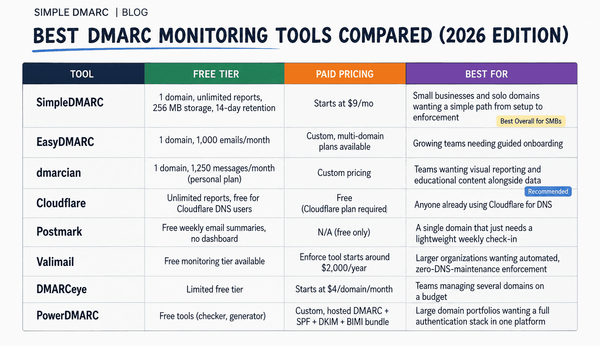
How the major platforms compare in 2026
This is the honest version. No platform is perfect for every MSP.
Red Sift OnDMARC is the enterprise pick. Strong multi-tenant architecture, excellent automation including Dynamic SPF, real white-label capability. Pricing is not published publicly, sold via sales calls, and 2026 list pricing reportedly starts around $3,000-5,000 annually for small deployments and scales to $20,000-$100,000+ for larger portfolios. Best fit for MSPs with 100+ client domains, enterprise clients, and a sales process that justifies the cost.
EasyDMARC is the volume MSP play. 1,300+ MSP partners, integrations with Pax8, HaloPSA, ConnectWise PSA. Pay-as-you-go partner pricing, decent white-label. Strong on PSA integration if you're already in that ecosystem.
PowerDMARC lands in the middle. Per-domain pricing around $8/domain/month with white-label as a partner program upgrade. Good multi-tenant features. Branding is solid in the partner tier.
dmarcian is the education-forward option. Strong reporting, good for MSPs whose clients want to understand what they're seeing. Per-domain pricing in the same range as PowerDMARC. Weaker on aggressive automation features.
SimpleDMARC is the SMB/MSP-focused option, with passive domain billing as the differentiator. Best fit for MSPs whose client portfolios skew toward small businesses with many parked domains and a few active ones. Pricing is published, no enterprise sales call required. Full feature comparison on the MSP pricing page.
The choice usually comes down to two questions: do your clients skew enterprise or SMB, and how many parked domains do you have across your portfolio? Enterprise + few parked domains points to Red Sift. SMB + lots of parked domains points to SimpleDMARC. PSA-heavy operations point to EasyDMARC.
Things to get right when launching a DMARC service line
A few patterns from MSPs who have done this well:
Run a free DMARC audit on every existing client before you launch the service. Some will have records, most won't. The audit is your opening conversation, not a deliverable. Frame it as "we noticed you don't have DMARC, here's what that means for your Gmail and Outlook deliverability."
Set client expectations on the timeline. Moving a client from no DMARC to p=reject takes 4-8 weeks for a typical SMB with three to five email-sending services. If you sell it as a one-week project, you'll be apologizing for two months. Sell it as a "compliance and protection program" with milestones.
Document every third-party sender as you find it. This is the actual work. Microsoft 365, Mailchimp, HubSpot, Stripe, DocuSign, the booking platform, the accounting tool, the recruiting platform. Each one needs SPF and DKIM configured correctly. Your platform should let you tag these per-client so you can ask "is this expected?" three months from now.
Don't move to p=reject until reports are clean for two consecutive weeks. The protocol is forgiving in p=none and catastrophic in p=reject if you rushed it. The RFC 7489 specification is explicit about the staged progression for good reason.
Build the QBR slide. Once a quarter, show the client how much mail was blocked, how many spoofing attempts were caught, and what their compliance posture looks like vs the previous quarter. This is what turns DMARC from "that thing they did once" into a recurring line item that survives renewals.
Frequently asked questions
How much should I charge clients for DMARC management?
For an SMB client, $15-40 per active domain per month is the going rate in 2026 for full management including monitoring, alerts, policy progression, and quarterly reporting. Per-tenant pricing usually lands $99-299/month depending on how many domains and how much hand-holding is included. The lower end works for transactional management, the higher end for clients who want you in their weekly compliance meetings.
Do I need a separate DMARC platform if I already use Microsoft 365 or Google Workspace?
Yes. Microsoft and Google can publish DMARC records and process some report data, but neither gives you a real cross-platform reporting view, neither handles multi-tenant client management, and neither helps you progress policies safely. They're sources of authentication, not management platforms.
How does white-label affect client trust?
Properly executed, the client sees your brand and assumes you built the capability. Improperly executed (your logo on a vendor portal), it actively damages trust — clients realize you've outsourced their security to a third party they've never heard of. If white-label matters to your sales process, pay for the strong version. If it doesn't, save the money and use the vendor's branded portal.
What's the difference between multi-tenant and multi-domain?
Multi-domain means one account can manage many domains under one entity. Multi-tenant means one platform login can switch between separate, isolated client entities — each with their own users, billing, and data. Many platforms sold to MSPs are actually multi-domain (one big bucket of domains tagged by client), which leaks data and creates billing chaos at scale.
Should I include parked domains in client coverage?
Yes, for security reasons. Attackers actively spoof parked and inactive domains because owners rarely protect them. A p=reject policy on a non-sending domain is the strongest defense possible. The question is just whether your platform charges you full price for parked domains or treats them as passive. The answer determines whether you can offer this protection without eating the cost.
How long until DMARC becomes a profitable service line?
For most MSPs, the first 10-20 clients are break-even because of the manual work in initial onboarding. Past 30-50 clients, automation and process maturity kick in, and the per-client labor drops significantly. Profitable from client one, scalable from roughly client 30.
Start with one client
The best way to learn whether DMARC fits your MSP service mix is to do it once. Pick your most security-conscious client, audit their current state with the free DMARC checker, and walk them through the gaps. If the conversation goes well, that's your pilot. If it goes badly, you've learned something cheap.
When you're ready to set up multi-tenant management with passive-domain billing, white-label support, and pricing that scales as your portfolio grows, the SimpleDMARC MSP plan is built specifically for this use case. Or sign up for free and run a single client through the platform first to see how the reports actually look. No credit card, no sales call.