DMARC for Healthcare: HIPAA Email Authentication in 2026
HIPAA's Security Rule requires technical safeguards that DMARC directly addresses. Here's how DMARC fits into healthcare email compliance and why it matters now.

DMARC for Healthcare: HIPAA Email Authentication in 2026
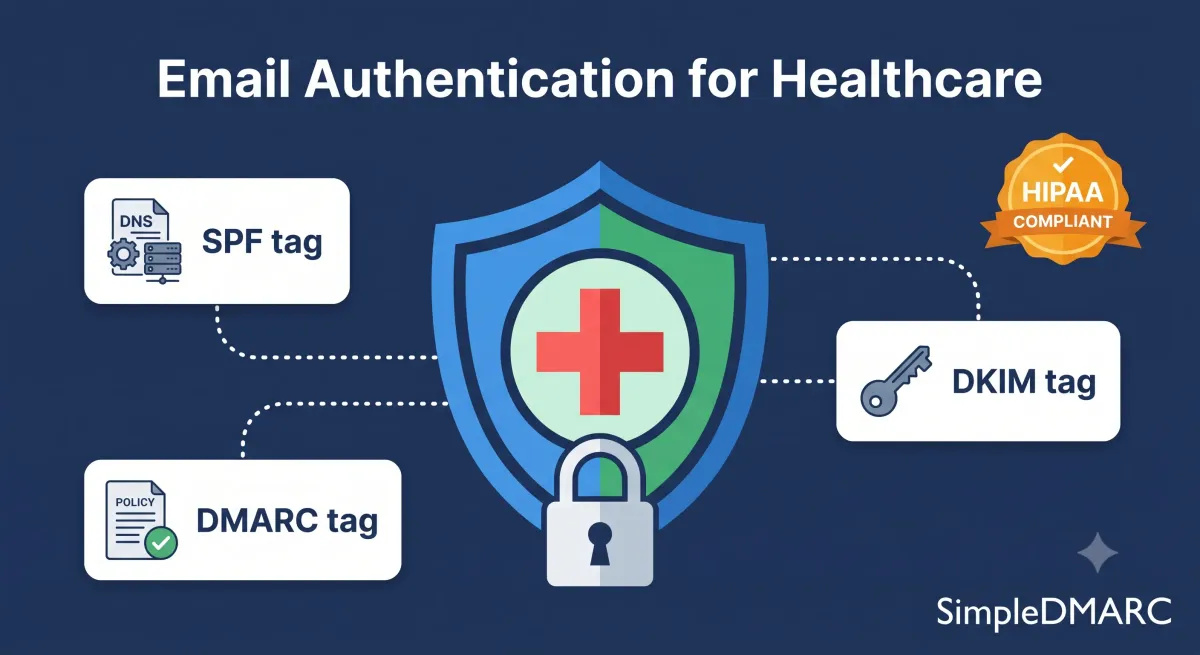
HIPAA does not name DMARC by name. What it does mandate — through the Security Rule's technical safeguards — is that covered entities implement controls to protect electronic protected health information (ePHI) from unauthorised access, including controls over how that information is transmitted electronically.
Email spoofing, where an attacker sends email appearing to come from a healthcare organisation, is one of the most direct threats to that mandate. DMARC is the technical control that stops domain-level email impersonation. Not every HIPAA compliance officer has connected these dots yet, but the regulatory and legal pressure to do so is increasing in 2026.
What HIPAA Actually Requires for Email
The HIPAA Security Rule (45 CFR §164.312) specifies technical safeguards that covered entities and business associates must implement. The relevant provisions:
Access controls (§164.312(a)(1)): Technical policies and procedures that allow only authorised persons to access ePHI. Email spoofing attacks that impersonate healthcare staff to redirect payments or extract patient data undermine this requirement.
Transmission security (§164.312(e)(1)): Guard against unauthorised access to ePHI being transmitted over electronic communications networks. Email authentication — confirming that email actually comes from the domain it claims — is part of transmission security.
Audit controls (§164.312(b)): Hardware, software, and procedural mechanisms that record and examine activity in information systems containing ePHI. DMARC aggregate reports provide a continuous audit trail of email authentication activity across your domain.
None of these provisions say "implement DMARC." But HHS guidance has consistently interpreted the Security Rule as requiring a risk analysis and implementation of reasonable technical safeguards. In 2026, DMARC at p=reject represents a reasonable, implementable control against a well-documented threat vector. An organisation that has not implemented DMARC and experiences a business email compromise attack would have difficulty demonstrating it met its Security Rule obligations.
Why Healthcare Is a High-Value Spoofing Target
Healthcare organisations are disproportionately targeted by email spoofing and BEC (business email compromise) attacks. The reasons are structural:
High-value transactions: Healthcare billing involves large payments between insurers, providers, and patients. Attackers intercept payment instructions by impersonating billing departments — emails that appear to come from billing@hospitalname.org instructing a payer to redirect funds to a new account.
Trusted sender relationships: Patients, insurers, and referral partners trust email from healthcare domain names. A phishing email appearing to come from a patient's hospital is more likely to succeed than one from an unknown sender.
Regulatory pressure creates urgency: Healthcare staff respond quickly to emails that appear to come from compliance teams, regulators, or senior clinicians. Urgency-based phishing exploiting these relationships is a known pattern.
Large attack surface: Healthcare organisations often have complex email infrastructure — hospital systems, clinics, billing departments, affiliated practices — each with separate sending tools that create authentication complexity and gaps.
DMARC and Healthcare Email Infrastructure
Healthcare organisations typically have more complex email stacks than most SMBs. Common sending sources include:
- Epic, Cerner, or other EHR systems sending patient appointment reminders
- Laboratory systems sending test result notifications
- Billing platforms sending invoices and payment requests
- HR systems sending internal communications
- Medical devices that send alert email (infusion pumps, monitoring systems)
Each of these systems sends email as your domain and needs to be covered by your SPF record and/or DKIM signing before you can enforce DMARC. The monitoring phase — running at p=none and analysing aggregate reports — surfaces all of them.
EHR platforms vary significantly in their DMARC/DKIM support. Epic and Cerner both support DKIM configuration for patient-facing emails, but the configuration often requires involvement from the platform's technical support team rather than self-service. Build this into your DMARC implementation timeline.
The Business Associate Complication
Business associates — third-party vendors handling ePHI on behalf of a covered entity — are subject to HIPAA obligations independently. But they also send email on behalf of the covered entity, often using the covered entity's domain.
A medical billing company that sends invoices as billing@hospitalname.org needs to be covered by the hospital's DMARC authentication. If the billing company's sending infrastructure fails DMARC, those invoice emails fail authentication, and once DMARC enforcement is in place, they may be rejected.
This is a coordination problem that DMARC monitoring surfaces explicitly. When you're reviewing aggregate reports and see an IP sending as your domain that you don't recognise, it's often a business associate's infrastructure. Reach out to the BA and coordinate authentication before moving to enforcement.
The Implementation Path for Healthcare
The steps are the same as any DMARC implementation, but the timeline may be longer due to EHR systems, business associate coordination, and organisational complexity.
Step 1: Publish a DMARC record at p=none with reporting
_dmarc.yourhospital.org. IN TXT "v=DMARC1; p=none; rua=mailto:dmarc@simpledmarc.com; fo=1;"
Use a DMARC monitoring platform's reporting address so aggregate reports are parsed automatically. In healthcare environments, you may receive reports from hundreds of sending sources — manual XML parsing isn't practical.
Step 2: Audit all sending sources
Run a free DMARC audit on each domain. Review aggregate reports for 30-60 days. Healthcare domains typically take longer than average to fully map due to the number of clinical systems involved.
Step 3: Authenticate each source
Work through SPF and DKIM configuration for each sending service. EHR platforms, billing systems, medical device email alerts, HR platforms — each needs to be covered.
Step 4: Move to enforcement
Follow the gradual enforcement path — p=quarantine at partial percentage, then full quarantine, then p=reject. Healthcare organisations often spend more time at p=quarantine than others, validating that no clinical communications are being affected before full enforcement.
Step 5: Document for compliance
Export aggregate report summaries from your monitoring platform periodically and retain them as compliance evidence. HIPAA audits may request documentation demonstrating that technical safeguards are actively monitored, not just implemented.
Similar documentation practices apply in PCI DSS environments — see the DMARC PCI DSS compliance guide for the parallel compliance framework.
Common Objections in Healthcare
"Our email is already encrypted with TLS." TLS encrypts email in transit. DMARC prevents domain impersonation. They protect different things. TLS doesn't stop an attacker from sending email that appears to come from your domain — DMARC does.
"We'll break clinical communications if we enforce." This is a real concern and the right approach is to solve it during the monitoring phase, not avoid enforcement indefinitely. Running at p=none for 30-60 days identifies which clinical systems are failing authentication before any email is blocked.
"Our EHR vendor said DMARC isn't their responsibility." EHR vendors don't control your DNS or your domain policy. DMARC configuration is the covered entity's responsibility. What vendors can do is configure DKIM signing for emails sent on your behalf — most major EHR vendors support this with technical support assistance.
FAQ
Is DMARC required for HIPAA compliance?
HIPAA does not explicitly name DMARC as a required control. The Security Rule requires covered entities to implement reasonable and appropriate technical safeguards against email-based threats, and DMARC is a recognised control for domain spoofing. In 2026, failing to implement DMARC while operating a healthcare email domain would be difficult to justify under a Security Rule risk analysis. The practical answer: implement it.
Does DMARC protect patient data (ePHI)?
DMARC doesn't encrypt or store ePHI. It prevents attackers from impersonating your domain to deceive patients, staff, or partners into disclosing ePHI or redirecting payments. It's a threat prevention control, not a data protection control. Use it alongside encryption, access controls, and proper handling of ePHI.
How do HIPAA business associates affect DMARC setup?
Business associates who send email on behalf of the covered entity using the covered entity's domain need to be included in DMARC authentication. Their sending infrastructure must be covered by the covered entity's SPF record and/or configured for DKIM signing with the covered entity's domain. Coordinate this before DMARC enforcement.
What if our EHR system can't support DKIM?
Some legacy clinical systems don't support DKIM signing. In these cases, SPF alignment may be the only option. Configure the system's sending IP in your SPF record and set DMARC alignment mode to relaxed (aspf=r; adkim=r). If neither SPF nor DKIM alignment is achievable, consider routing the system's email through a relay that does support DKIM signing.
How does DMARC reporting help with HIPAA audit evidence?
DMARC aggregate reports provide a continuous record of authentication activity across your email domain, which sources are sending as you, pass/fail rates, and policy dispositions applied. Exported report summaries demonstrate to auditors that your email authentication controls are actively monitored and maintained, not just configured and forgotten.
Start auditing your healthcare domain's email authentication at simpledmarc.com — free for a single domain, reports start arriving within 24 hours.