DMARC Failure Troubleshooting: Why Authenticated Email Fails
Your email is authenticated but still failing DMARC? Here's how to diagnose alignment failures, SPF permerror, DKIM selector issues, and forwarding problems.

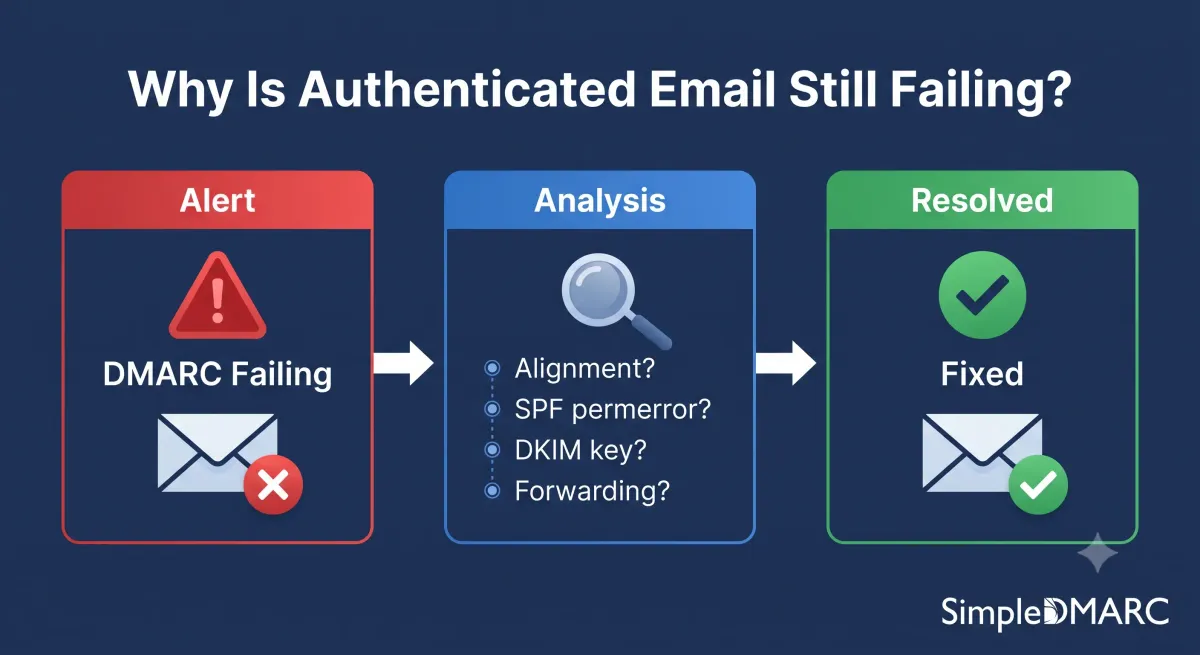
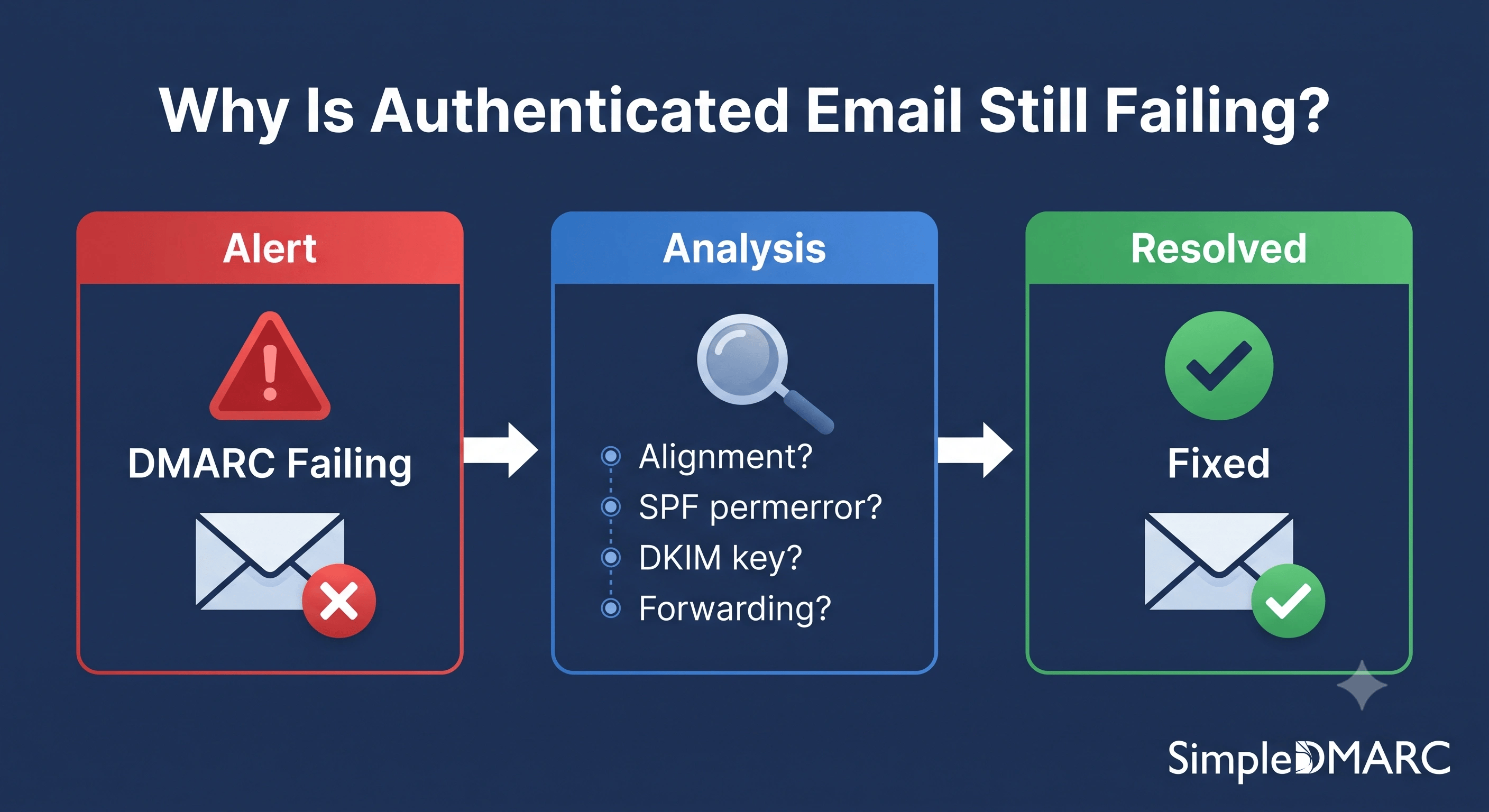
You've set up SPF. DKIM is configured. Your DMARC record is published. And you're still seeing failures in your aggregate reports.
This happens more often than it should. Authentication passing at the mechanism level doesn't automatically mean DMARC passes — alignment is the missing piece that most guides underexplain. This article walks through the most common DMARC failure causes, how to identify each one from your reports, and how to fix them.
Read Your Aggregate Report First
Before diagnosing anything, you need data. If you're not yet receiving DMARC aggregate reports, the first step is confirming your rua= tag is set correctly.
Run your domain through the free DMARC checker and verify:
- Your DMARC record is syntactically valid
- The
rua=address is present and correctly formatted - The reporting address is actually receiving mail
Aggregate reports arrive within 24 hours of publishing a valid DMARC record with a rua= tag. Each report shows, per sending source: SPF result, DKIM result, alignment result, and policy disposition applied. That combination tells you exactly what's failing and why.
Cause 1: SPF Passes but Alignment Fails
This is the most common source of confusion. SPF can return "pass" and DMARC can still fail.
SPF checks the envelope sender domain (the Return-Path or MAIL FROM address) against your authorised IP list. DMARC then checks whether that envelope sender domain aligns with the domain in the From: header — the address the recipient sees.
If your email platform sends email using its own domain in the Return-Path while showing your domain in the From: header, SPF passes (for the platform's domain) but DMARC alignment fails (because the two domains don't match).
Example:
Return-Path: bounce-12345@em.mailgun.net  ← SPF passes for mailgun.net
From: hello@yourdomain.com               ← DMARC checks alignment
DMARC alignment fails because mailgun.net ≠ yourdomain.com.
Fix: Configure the sending platform to use a subdomain of your domain in the Return-Path. Mailgun, SendGrid, Postmark and most platforms support custom bounce domains. Setting bounces.yourdomain.com as the Return-Path makes the organisational domain match (yourdomain.com) and alignment passes in relaxed mode.
See RFC 7489 section 3.1 for the formal alignment definition.
Cause 2: SPF permerror — Over the 10-Lookup Limit
When your aggregate report shows spf=permerror, SPF evaluation failed permanently before a result could be reached. The most common cause is exceeding the 10 DNS lookup limit defined in RFC 7208.
Each include:, a, mx, and redirect= mechanism in your SPF record costs one lookup. The services those mechanisms reference may themselves contain include: statements, which cost additional lookups. Exceed 10 total and receiving servers return permerror, which DMARC treats as an SPF failure.
Check your lookup count:
# Check your raw SPF record
dig TXT yourdomain.com | grep "v=spf1"
Or use the SimpleDMARC SPF checker — it resolves the full lookup chain including nested includes and shows the total count.
Fix: See the SPF record management guide for options: removing unused services, replacing include: with direct ip4: mechanisms, or SPF flattening.
Cause 3: DKIM Fails Due to Selector Misconfiguration
DKIM failures show up as dkim=fail in your aggregate report. Several configurations produce this:
Wrong selector in the DNS record. The DKIM signature in your email headers references a specific selector (e.g., s=s1). If the DNS record at s1._domainkey.yourdomain.com is missing, incorrect, or has been rotated out, verification fails. Check that your sending platform's DKIM selector matches the DNS record you've published.
Key mismatch. If the platform's private key has been rotated but your DNS record still contains the old public key, DKIM signatures fail verification. Regenerate the DNS TXT record from the platform and update your DNS.
DNS propagation delay. New DKIM DNS records can take 24-48 hours to fully propagate. If you just set up DKIM and it's failing, wait and check again before troubleshooting further.
Email rewriting by intermediaries. Mailing lists and some forwarding services modify message content (adding headers, footers, or subject line tags). DKIM signs the message in its original form — any modification breaks the signature.
 )
)
Fix: Verify the selector and key pair are in sync between your sending platform and your DNS. Most platforms have a DKIM verification step in their setup flow — use it after adding the DNS record.
Cause 4: DKIM Alignment Fails
DKIM can pass verification and still fail DMARC alignment. DKIM alignment checks whether the d= domain in the DKIM signature matches the From: header domain.
If a third-party service signs email with its own domain (d=sendgrid.net) rather than yours, the DKIM signature verifies correctly but doesn't align with your From: header.
Example:
DKIM-Signature: v=1; a=rsa-sha256; d=sendgrid.net; s=smtpapi; ...
From: hello@yourdomain.com
DKIM passes for sendgrid.net but doesn't align with yourdomain.com.
Fix: Configure the sending platform to sign with your domain. SendGrid calls this "domain authentication" — it creates a DKIM key pair under em.yourdomain.com or similar, making the d= domain align with your From address.
Cause 5: Forwarded Email Failing DMARC
Forwarding breaks SPF because the forwarding server sends from its own IP, which isn't in your SPF record. If DKIM is not set up (or was broken by the forwarder modifying the message), both mechanisms fail and DMARC fails.
This shows up in aggregate reports as failures from IPs belonging to forwarding services — email security gateways, mail aliases, or mailing list services.
Fix options:
- Ensure DKIM is configured and your forwarders don't modify messages. DKIM survives forwarding when the message isn't altered.
- If using a security gateway that re-signs DKIM with ARC (Authenticated Received Chain), confirm the final receiver honours ARC chains.
- Allowlist known forwarding services using the
p=nonesubdomain policy while investigating.
Cause 6: Subdomain Not Covered by Authentication
Your DMARC policy at yourdomain.com applies to subdomains via the sp= tag. But if a subdomain sends email with its own mail server or third-party configuration that isn't covered by the root domain's SPF or DKIM setup, failures appear for that subdomain specifically.
Look at your aggregate report source breakdown: failures attributed to newsletter.yourdomain.com or shop.yourdomain.com while the root domain passes cleanly indicates a subdomain-specific configuration gap.
Fix: Treat each sending subdomain as a separate authentication project. Each subdomain that sends email needs its own SPF configuration and DKIM setup matching its sending infrastructure.
Cause 7: p=reject Catching a Forgotten Sending Service
Once you move to p=reject, any sending service that wasn't authenticated before enforcement starts generating hard failures, and depending on the receiving server's implementation, those messages may be rejected entirely rather than landing in aggregate reports.
If you moved to p=reject and immediately started receiving complaints about missing legitimate email, a sending service wasn't covered by your authentication before enforcement.
Fix: Drop back to p=quarantine temporarily, check aggregate reports for newly appearing sources, authenticate those sources, and then return to p=reject. The p=none to p=reject guide covers the gradual rollout process that prevents this.
Reading Failure Results in Aggregate Reports
Your aggregate report XML (parsed into readable form in your monitoring dashboard) shows, per sending source:
disposition: none | quarantine | reject
dkim: pass | fail
spf: pass | fail | permerror | temperror
Plus the alignment results separately from the mechanism results. The combination tells you exactly which cause applies:
| SPF | DKIM | Alignment | Likely cause |
|---|---|---|---|
| pass | pass | fail | Alignment mismatch (Cause 1 or 4) |
| permerror | — | — | SPF lookup limit exceeded (Cause 2) |
| fail | fail | — | Both mechanisms failing, check subdomain or forwarding (Cause 5, 6) |
| — | fail | — | DKIM key/selector mismatch (Cause 3) |
FAQ
My SPF record says pass but DMARC still fails. Why?
SPF pass and DMARC pass are different checks. SPF verifies the envelope sender's IP is authorised. DMARC then checks alignment: does the envelope sender domain match the From header domain? If your email platform uses its own domain in the Return-Path (bounce address), SPF passes for the platform but alignment fails for your domain. Configure a custom bounce domain using your organisational domain to fix alignment.
How do I find which specific emails are failing DMARC?
Aggregate reports show per-source statistics but not individual messages. For message-level detail, enable forensic reporting with the ruf= tag. Note that Gmail doesn't send forensic reports, so your visibility is limited to providers that do. For most debugging, aggregate data broken down by sending IP is sufficient to identify the root cause.
DMARC shows failures from IPs I don't recognise. What should I do?
Unknown IPs in DMARC reports fall into two categories: forgotten legitimate senders and active spoofing attempts. Check whether the volume from that IP is high and consistent (likely a service you've forgotten) or irregular and burst-y (likely spoofing). Look up the IP in a whois tool to identify the owner. If it's a cloud provider your organisation uses, it's probably a legitimate sender that needs authentication.
Can I ignore DMARC failures if the volume is small?
During the p=none monitoring phase, failures have no delivery impact, so you can prioritise which to fix first. Before moving to p=quarantine or p=reject, every significant sending source should be passing. Low-volume failures from unknown IPs (likely spoofing attempts) don't block enforcement — only legitimate senders that are failing need to be fixed before you enforce.
What does "temperror" mean in DMARC reports?
temperror means a temporary DNS lookup error occurred during SPF or DKIM evaluation — the lookup timed out or returned a server error. Receiving servers typically retry on temperror rather than treating it as a permanent failure. Occasional temperror results are normal. Persistent temperror on SPF usually indicates a DNS misconfiguration or an intermittently unavailable DNS record.
Start monitoring your DMARC failures at simpledmarc.com — the free tier parses aggregate reports automatically, making each failure type visible without reading raw XML.