What Happens If You Don't Have a DMARC Record in 2026?
Short version: your email to Gmail, Yahoo, and Outlook addresses gets rejected. Not delivered to spam, not delayed for retry. Bounced, with a `550` error.

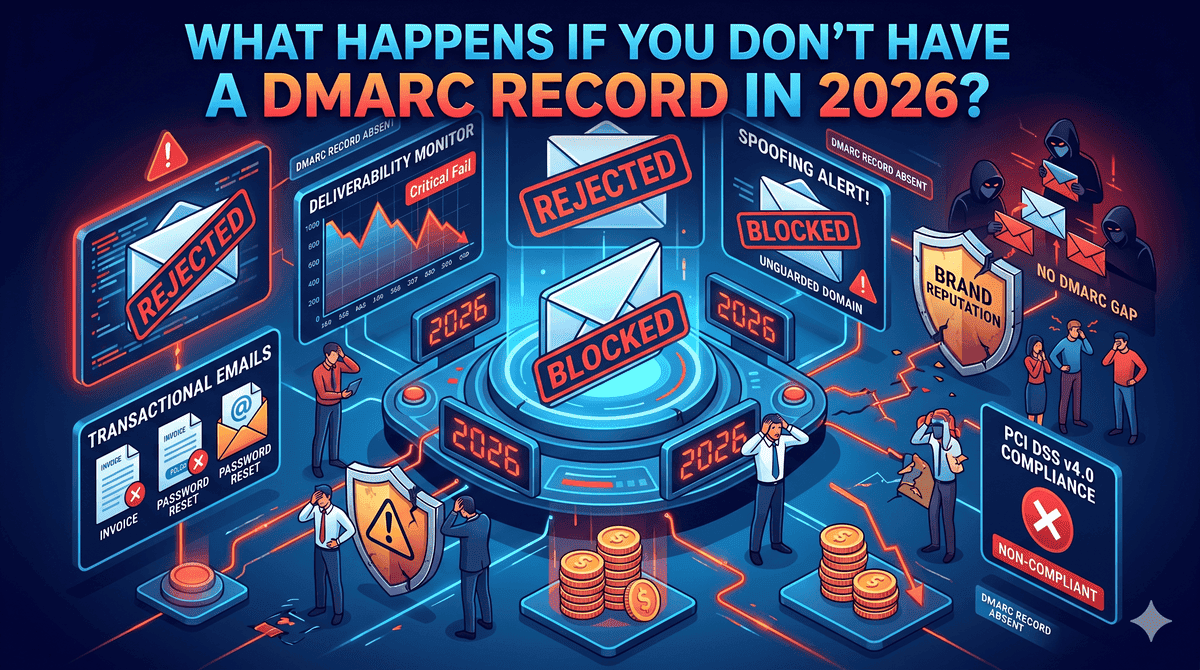
Anyone in the world can also send phishing emails that look like they came from your domain, and you have no way to find out about it. This article walks through what that actually looks like in 2026, why this year is different from the past two, and how to check your own domain in about a minute.
How we got here
DMARC used to be optional. For years, you could send email from any domain you owned, and as long as your IP wasn't on a blocklist, the message usually arrived.
Then on February 1, 2024, Gmail and Yahoo started enforcing DMARC for any sender pushing more than 5,000 messages per day to their users. Microsoft followed on May 5, 2025, with the same threshold for Outlook.com, Hotmail.com, and Live.com addresses.
The first round was forgiving. If you didn't comply, you got temporary deferrals (421 errors). Annoying, but most mail eventually got through on retry.
That changed in November 2025. Gmail flipped temporary deferrals into permanent rejections (550). Microsoft had already done the same in May. So 2026 is the first year where the punishment is real and immediate. The bulk sender rules are no longer guidelines you can ease into.
There's a catch most articles miss. The 5,000-per-day number is the line for automatic rejection, but it's not the line where things start to hurt. Smaller senders are seeing throttling, spam-folder placement, and slow reputation decay even at low volume, because mail providers are using DMARC presence as a general trust signal now. If your domain has nothing published, you're flagged regardless of how much you send.
What is a DMARC record?
DMARC stands for Domain-based Message Authentication, Reporting, and Conformance. It's a TXT record in your domain's DNS that does two things at once: it tells receiving mail servers what to do when an email fails authentication, and it tells them where to send reports about that authentication.
It builds on top of two older standards. SPF lists which servers can send email for your domain. DKIM cryptographically signs the messages. DMARC sits above both as the policy layer, saying "if SPF or DKIM fails, do X." That X can be none (deliver but report), quarantine (route to spam), or reject (bounce).
A minimal record looks like this:
v=DMARC1; p=none; rua=mailto:reports@yourdomain.com
Published as a TXT record at _dmarc.yourdomain.com, that satisfies the technical requirement to "have DMARC." Whether you actually have one, or whether yours is broken, is something most domain owners don't know. A free DMARC record checker will tell you in a few seconds.
The reason this is now mandatory comes down to email's original design. SMTP doesn't verify who you are. Anyone can put you@yourdomain.com in a From: header and the receiving server has no clean way to disprove it. DMARC is the mechanism domain owners use to declare ownership of their email identity. Without that declaration, spoofing is trivial.
What actually breaks when you don't have DMARC
Concrete failure modes, roughly in order of how much pain each causes.
Mail to bulk recipients gets rejected. If you're over the 5,000/day threshold to Gmail, Yahoo, or Microsoft consumer addresses, your mail bounces. The error message reads 550 5.7.515 Access denied, sending domain does not meet the required authentication level. This applies to everything: marketing campaigns, transactional confirmations, password resets. None of it lands.
Lower-volume mail starts going to spam quietly. Below the threshold, Gmail and Outlook treat the absence of DMARC as a negative trust signal. There's no clear bounce. You just notice your open rates dropping, customers asking whether you sent something, and replies trickling in days late. This is the most common scenario for SMBs, and it's the hardest to diagnose because nobody bounces back.
Your domain becomes free real estate for phishing. Without DMARC, attackers can put your domain in a From: header and send mail to your customers, vendors, and staff. Receivers have no policy to follow, so the mail goes through. The classic CFO-impersonation wire fraud runs on exactly this gap.
You have no idea any of it is happening. DMARC's reporting feature is the part most setup guides skip past. The rua tag tells mail providers where to send daily aggregate reports listing every IP that's been sending mail claiming to be from your domain. With no DMARC, you have no visibility. You only find out you were spoofed when a customer calls.
Three more, briefly:
Third-party senders fail silently. If you use Mailchimp, HubSpot, SendGrid, or Mailgun, those services send email "as you." DMARC is what makes alignment work between your domain and theirs. Without it, their delivery to Gmail and Outlook degrades over time.
Sender reputation decays. Mail providers track domain behavior across years. A domain that has never had DMARC is rated as higher risk than one that's had p=none running for the same period, because at least the second one was generating reports.
You can't get BIMI. The standard that puts your company logo next to your name in Gmail and Yahoo inboxes requires DMARC at p=quarantine or stricter. Competitors who set this up look more legitimate than you in the inbox, even when they aren't.

Why p=none isn't really enough anymore
For a few years, p=none was a perfectly fine answer. You published a record, mail providers saw it, your domain was technically compliant. That's still what Gmail, Yahoo, and Microsoft formally require: a DMARC record with at least p=none, aligned with SPF or DKIM.
But the situation in 2026 is different from 2024 in two ways.
First, mail providers now distinguish between domains that have DMARC and domains that use DMARC. A record sitting at p=none for two years with no movement toward enforcement reads as "checked the box, didn't mean it." Microsoft and Yahoo have both indicated they treat this as a soft negative signal, even though it technically meets the requirement.
Second, the threat model shifted. AI-generated phishing made spoofing-driven business email compromise cheap and very convincing. A domain at p=none has no defense against this. The policy is reporting-only. So while p=none clears the compliance bar, it does nothing for actual protection. By 2026, p=quarantine is the realistic baseline for any business that takes its brand seriously, with p=reject as the destination.
A record at the 2026 baseline looks more like:
v=DMARC1; p=quarantine; rua=mailto:dmarc@yourdomain.com; pct=100; adkim=r; aspf=r
If your domain is currently at p=none, the path forward is: monitor reports for four to eight weeks, identify every legitimate sender, fix any SPF and DKIM gaps, then move to p=quarantine with pct=10 and ramp up. Six to eight weeks is realistic for an SMB with a handful of email services.
Check your domain right now
Three ways to do this, fastest first.
From a terminal:
dig TXT _dmarc.yourdomain.com +short
If you see a string starting with v=DMARC1, you have a record. If you see nothing, you don't. This is the same query mail servers run.
In a browser, run your domain through SimpleDMARC's free DMARC record checker. It pulls the record, flags syntax issues, and tells you what's missing. The free SPF record checker is worth running at the same time, because broken SPF is the most common reason DMARC fails alignment even when the DMARC record itself is fine.
If you want to see authentication results end-to-end, send any email from your domain to check-auth@verifier.port25.com. You'll get an automated reply with the full SPF, DKIM, and DMARC verdict.
If your check comes back "no DMARC record found," you're in the most exposed position described in this article. Publishing a basic p=none record today closes the immediate compliance gap with Google's sender guidelines and starts producing the reports you'll need to move toward enforcement safely.
Things people get wrong on the first try
A few patterns that come up over and over when SMBs and MSPs first set up DMARC.
Going straight to p=reject. Tempting, because you want maximum protection. Disastrous, because you haven't yet identified all the third-party services sending legitimate mail as your domain. Your CRM, your support desk, your billing platform, your e-signature tool. They'll all break, and customer-critical mail will bounce until you fix every one.
Publishing a record without monitoring the reports. A DMARC record without an rua address pointing somewhere you actually look at is a record you've forgotten about. The reports are the entire point.
Only publishing on the primary domain. If you own yourcompany.com, you probably also own yourcompany.net, parked domains, and old marketing domains. Attackers spoof unprotected domains too. Every domain you own should have at least a strict DMARC record (p=reject), even the ones that don't send any mail.
Assuming SPF on its own is enough. SPF breaks the moment someone forwards your email or sends to a mailing list. Without DKIM and DMARC layered on top, your authentication fails in ways that look random.
Frequently asked questions
Do I really need DMARC if I send fewer than 5,000 emails a day?
Yes. The 5,000/day number is the formal threshold for outright rejection, but mail providers use DMARC presence as a trust signal at all volumes. Below the threshold, you'll see softer effects: reduced inbox placement, more spam-folder routing, and slow reputation decay over time. Every business-sending domain in 2026 should have at least p=none published.
What's the minimum DMARC record I can publish today?
v=DMARC1; p=none; rua=mailto:reports@yourdomain.com. That clears the technical requirement and starts the reporting flow, which gives you data to make decisions with. It does not protect against spoofing on its own. For protection, you need to progress to p=quarantine or p=reject once your reports are clean.
Will DMARC break my legitimate email?
It can, if you skip the monitoring phase and jump straight to p=quarantine or p=reject. The reason p=none exists is so you can discover which legitimate senders are misconfigured before you start rejecting their mail. Done in the right order, the transition causes zero deliverability loss.
How long does the full move from p=none to p=reject take?
For a typical SMB with three to five email services, six to eight weeks. MSPs managing many client domains in parallel, or businesses with sprawling marketing automation, often take three to four months. The bottleneck is fixing SPF and DKIM at every third-party sender, not the DMARC record itself.
Does DMARC apply to subdomains automatically?
Partially. A DMARC record on yourdomain.com covers the organizational domain but not necessarily subdomains, depending on the sp= (subdomain policy) tag. To explicitly control subdomain behavior, set sp=reject in your main record, or publish separate DMARC records on each subdomain.
What's the difference between DMARC reports and DMARC monitoring tools?
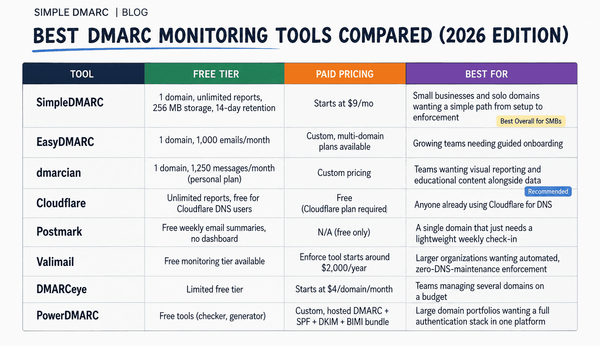
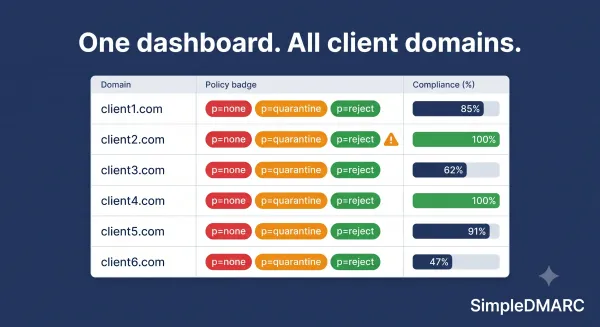
DMARC reports are raw XML files mail providers send to the address in your rua tag. They're machine-readable and unhelpful in raw form. A single day's reports for a small business can be hundreds of files. Monitoring tools like SimpleDMARC parse those reports into dashboards showing pass/fail rates, sending sources, and alignment problems. That's how the data actually becomes useful.
Stop guessing — check your domain
If you don't know whether your domain has a DMARC record, you don't know whether your email is reaching customers, and you don't know whether someone is sending phishing emails as you. Both blind spots are fixable in minutes.
Run your domain through SimpleDMARC's free DMARC checker to see what's actually published. If you find gaps, sign up for free DMARC monitoring at simpledmarc.com. No credit card, setup takes about five minutes, and you'll start seeing human-readable reports within 24 hours instead of XML files you'd never open.