DMARC for Enterprise: Multi-Domain Management in 2026
Enterprise DMARC management across multiple domains, audit compliance, and reporting. How storage-based pricing changes the economics for mid-market organizations.

Enterprise DMARC management is different from managing a single domain. You're dealing with multiple organizational domains, subsidiaries with their own email stacks, third-party senders operating across business units, and compliance requirements that need audit trails — not just dashboards.
This guide covers what DMARC management looks like for organizations with 10 or more domains, how to structure the monitoring and enforcement workflow, and what to look for in a platform built for that complexity.
What Enterprise DMARC Management Actually Involves
At a single-domain SMB, DMARC is a one-time setup followed by periodic monitoring. At an organization with 20+ domains, it's an ongoing operational process:
- Publishing and maintaining DMARC records across all organizational domains, including subsidiaries and acquired brands
- Auditing which third-party senders are operating across multiple business units
- Monitoring aggregate reports from domains that receive legitimate email versus domains that don't send at all
- Managing the enforcement lifecycle — moving each domain from
p=nonetop=quarantinetop=rejecton a domain-by-domain timeline - Generating compliance evidence for audits (PCI DSS, SOC 2, HIPAA, CISA BOD 18-01)
- Handling the inevitable: a domain that was at
p=rejectregresses when a new sending service is added without authentication
The operational overhead is real. A 50-domain portfolio can't be managed manually through individual DNS records and email report inboxes. The monitoring platform is the differentiator.
Domain Portfolio Structure
Before doing anything technical, map your domain portfolio into three categories:
Active sending domains: Domains with live email traffic — your primary domain, marketing subdomains, transactional email domains. These need full SPF, DKIM, DMARC monitoring, and a clear path to p=reject.
Passive domains: Domains your organization owns but doesn't send email from — parked domains, legacy brand names, regional variants from acquisitions. These still need DMARC records to prevent spoofing, but the correct record is immediate p=reject (v=DMARC1; p=reject;) with no rua= reporting needed if you're not monitoring them actively. Attackers spoof parked domains precisely because owners assume nothing needs protecting.
Subdomain handling: Your DMARC record at the root domain applies to subdomains via the sp= tag. If mail.yourdomain.com sends email but uses a different mail stack than the root domain, it needs its own DMARC record and its own SPF/DKIM configuration.
Multi-Domain Monitoring in Practice
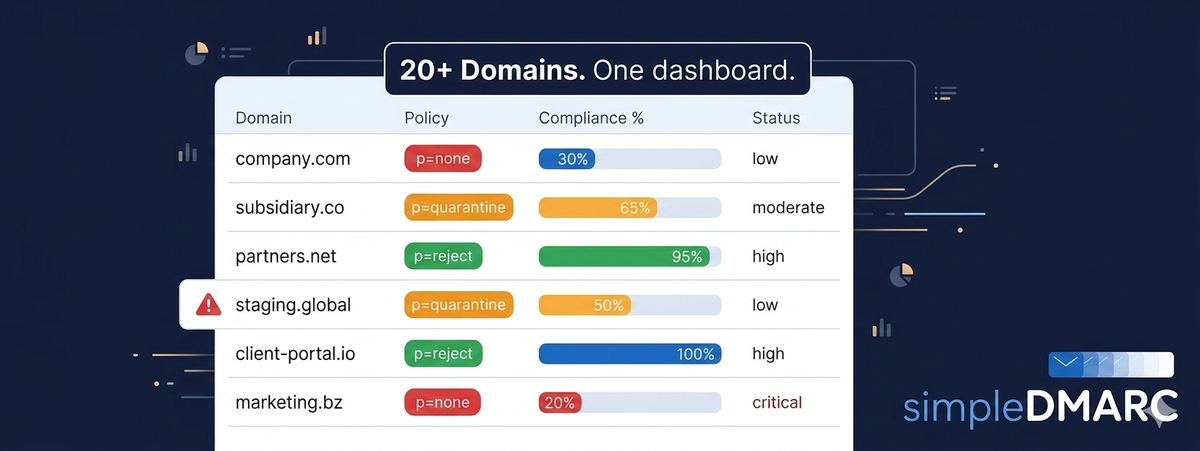
Running DMARC monitoring across 20+ domains requires a platform that shows aggregate report data per domain, not one dashboard with one email inbox per domain. The operational question is: which domains need attention today?
Good multi-domain monitoring surfaces this immediately:
- Compliance percentage per domain (what percentage of email from each domain is passing DMARC)
- New unauthorized sending sources detected in the last 24 hours
- Domains with SPF lookup count approaching the 10-lookup limit
- Domains still at
p=nonethat have been monitored long enough to enforce
SimpleDMARC's pricing is structured around storage, which means adding domains doesn't trigger a per-domain fee at the same rate as a volume-based model. High-volume sending domains generate more report data than low-volume domains, but both are covered by the same storage tier. This matters at portfolio scale: a 50-domain portfolio on a volume-based platform bills very differently than on a storage-based one, depending on the email volume mix.
The Enforcement Lifecycle Across Multiple Domains
Moving 20 domains from p=none to p=reject isn't a single project — it's a rolling program. Different domains have different timelines based on their sending complexity.
A reasonable approach:
- Group domains by complexity: single mail stack vs multi-sender, active vs passive
- Move passive domains to
p=rejectimmediately — there's no legitimate email to break - Move simple active domains (single mail server, no third-party senders) to
p=quarantinewithin two weeks of monitoring - Move complex domains (multiple business units, many third-party senders) through a longer monitoring and remediation cycle
For detailed guidance on the monitoring-to-enforcement progression, see the 30-day p=none to p=reject roadmap. The same mechanics apply across your portfolio — the difference at enterprise scale is sequencing and tracking progress across multiple concurrent remediation efforts.
Compliance and Audit Requirements
Several frameworks now explicitly require DMARC:
CISA BOD 18-01: The CISA Binding Operational Directive 18-01 requires US federal executive branch agencies to implement DMARC with at least a monitoring policy and a roadmap to p=reject. Many federal contractors extend this practice to their own domains as a contractual or best-practice requirement.
PCI DSS v4.0: Organizations processing cardholder data must implement anti-spoofing controls including DMARC. PCI auditors want to see active monitoring evidence, not just a record published.
SOC 2 Type II: While DMARC isn't explicitly named in SOC 2 criteria, it's increasingly expected as part of the logical access and change management controls. Auditors look for documented email authentication policies and evidence of monitoring.
For all three frameworks, the evidence you need is the same: a valid DMARC record, a reporting configuration, and documentation showing you're actively monitoring and remediating failures. Export periodic summaries from your monitoring platform — authentication pass rates, unauthorized sender detections, policy progression timeline, and keep them as audit artifacts.
Handling Third-Party Senders Across Business Units
The hardest part of enterprise DMARC management is third-party senders. Marketing uses one platform, customer success uses another, finance sends invoices through a billing system, and each team added their tool independently without thinking about email authentication.
The audit process:
- Pull all IP addresses from DMARC aggregate reports for the past 30 days
- Identify every source that has sent email claiming to be from your domain
- Categorize each source: known and authenticated, known and failing, unknown
- For each known/failing source, determine who in the organization owns it and assign remediation
- For unknown sources, investigate — these are either forgotten services or active spoofing
This process reveals the true scope of your email sending infrastructure, which is almost always broader than IT's asset inventory shows. Business units regularly add email-sending SaaS tools without IT involvement.
For MSPs running this process for clients, the multi-tenant management tooling in SimpleDMARC presents this data per-domain across all managed accounts, making the audit faster at portfolio scale.
What to Look for in an Enterprise DMARC Platform
The platform requirements for enterprise management differ from SMB:
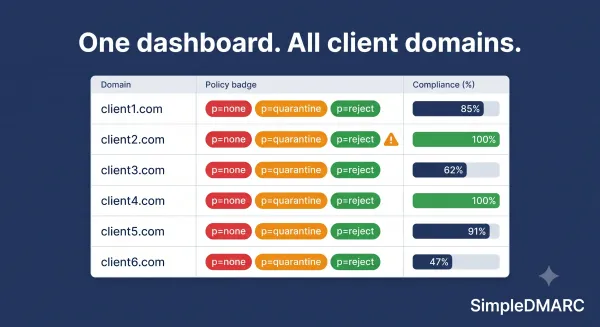
Multi-domain visibility: A single view showing all domains, their current DMARC policy, compliance rate, and any urgent alerts. Not N separate dashboards.
Retention: Compliance audits often cover 12 months of evidence. Your reporting retention period needs to match your audit window.
Report volume handling: Enterprise domains generate more aggregate report data. A platform that meters by email volume charges more as sending scale increases. Storage-based metering is more predictable.
Alert configuration: You need to know when a domain that was at p=reject starts failing — when a new business unit adds a sending service without authenticating it. Alert fatigue is real; configure alerts for meaningful threshold changes, not every individual failure.
API access: At portfolio scale, integrating DMARC status into internal dashboards or security tooling matters. Check whether the platform offers an API.
FAQ
How many domains can SimpleDMARC manage?
SimpleDMARC supports multiple domains on all paid plans. The storage-based pricing model means adding domains doesn't trigger a per-domain fee at a flat rate — cost scales with the report data volume generated across your domain portfolio.
Do all our domains need to be at p=reject for compliance?
Different frameworks have different expectations. CISA BOD 18-01 requires a roadmap to p=reject for federal agencies. PCI DSS v4.0 requires active DMARC monitoring without specifying a policy level. Most compliance frameworks expect enforcement progress, not necessarily completion on day one.
How do we handle acquired companies and their domains?
Treat acquired domains as new assets requiring immediate DMARC assessment. Run each through a checker, determine what email is being sent, and enroll them in your standard enforcement lifecycle. Until assessment is complete, passive domains should get immediate p=reject records.
Can DMARC monitoring integrate with our SIEM?
SimpleDMARC offers reporting exports and API access on enterprise plans. SIEM integration typically involves forwarding alert data or periodic report exports — check your SIEM's ingestion capabilities against the export formats available.
What's the biggest mistake organizations make with enterprise DMARC?
Treating it as a one-time project. DMARC requires ongoing maintenance: new senders need authentication, SPF records drift past the lookup limit, business units add tools without IT involvement. Quarterly reviews at minimum keep the program healthy.